Best practices for Amazon SageMaker HyperPod administration and governance
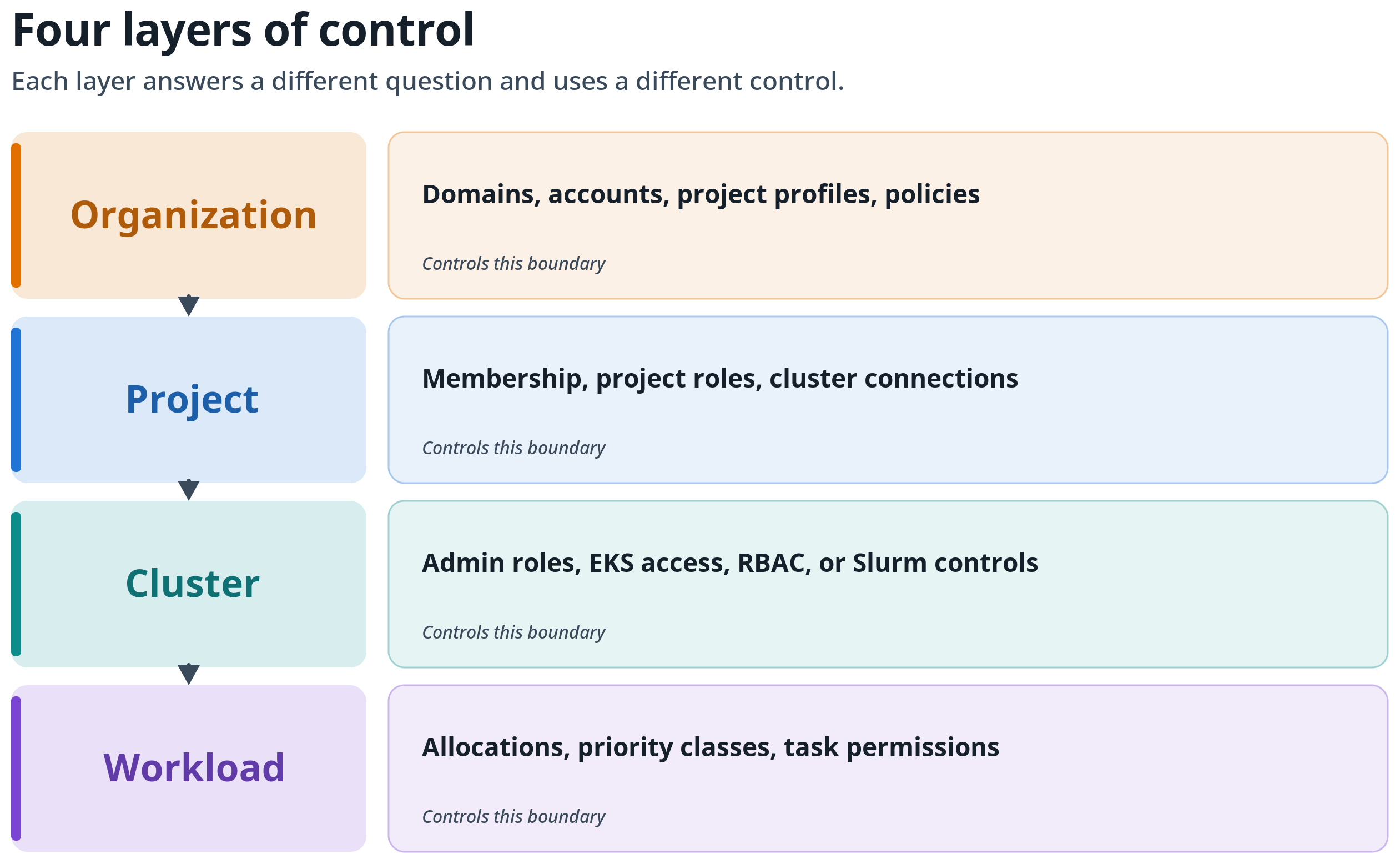
AWS published guidance on administering Amazon SageMaker HyperPod through Amazon SageMaker Unified Studio while preserving underlying governance controls. The post describes four layers of control: organization, project, cluster, and workload.
SageMaker Unified Studio lets teams connect a project to an existing SageMaker HyperPod cluster, after which members can launch machine learning workloads, review cluster and task information, and open a JupyterLab workflow. Clusters continue to be managed through Amazon SageMaker AI interfaces and APIs.
A HyperPod connection adds an approved cluster to a project; AWS states it does not replace the cluster's AWS Identity and Access Management (IAM), Amazon Elastic Kubernetes Service (Amazon EKS), or Slurm controls. Recommended review items include the project role, connection access role, EKS access entries and RBAC or Slurm controls, workload identity, data and AWS Key Management Service (AWS KMS) key policies, network policy, task-view restrictions, and scheduler policy.
AWS recommends centralizing the SageMaker HyperPod cluster, scheduler, and accelerator capacity in one designated capacity account, with approved cross-account access rather than making each consumer account an independent capacity administrator. For Amazon EKS, the post suggests a namespace per tenant with RBAC, per-tenant service accounts and EKS Pod Identity roles, default-deny network policies, and tenant-specific storage and AWS KMS permissions. For Slurm, it lists accounting with hierarchical accounts and associations, quality of service, priority and fair-share policies, and partitions.
The guidance separates authorization from scheduling. For Amazon EKS clusters, SageMaker HyperPod task governance covers quotas, priority classes, lending and borrowing, and preemption; Slurm clusters use native partitions, quality of service, priority, fair-share, and preemption controls. AWS states Slurm does not provide the same lending-and-borrowing model, and that scheduling controls determine when an authorized workload receives compute but do not grant namespace or data access.
The post also advises documenting each connection in a customer-managed "connection contract" governance record with owners, account and Region, roles, workload types, and review expectations. It notes that SageMaker AI Studio users can see all Amazon EKS cluster tasks by default and that, for Slurm, every SageMaker AI Studio user can view, manage, and interact with available tasks, and directs readers to configure task-view restrictions before onboarding multiple teams. AWS recommends starting with one non-production cluster and a test project, and installing the Amazon CloudWatch Observability EKS add-on so metrics views populate.
Based on reporting from the original publisher. Visit the source for full context and later updates.
Publisher excerpt
Learn how to administer Amazon SageMaker HyperPod through Amazon SageMaker Unified Studio while preserving cluster governance. This post shows platform teams how to design infrastructure boundaries, govern access, allocate shared capacity, and operate HyperPod consistently across the organization, project, cluster, and workload control layers.